

Download RecetteTek – Free Cookbook, Recipe Organizer, Cooking Tool, Android App
Overview
RecetteTek is a free desktop application designed for cooking enthusiasts who want to organize and manage their recipes efficiently. Developed by RecetteTek, the software serves as a digital cookbook, enabling users to collect, store, and access recipes from various sources. The primary purpose of the application is to centralize recipe management, allowing users to import recipes from the internet, create original dishes, and search through their collection with ease.
It caters to home cooks, culinary hobbyists, and individuals who enjoy experimenting with new meals. The software is positioned as a user-friendly solution for those seeking a streamlined way to maintain a personal recipe library without relying on physical cookbooks or scattered digital files. Real-world usage scenarios include meal planning, ingredient tracking, and quick access to favorite dishes during cooking sessions.
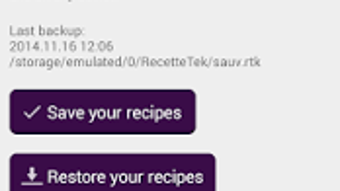
The application supports a seamless workflow for saving and retrieving recipes, making it a practical tool for daily kitchen use.
Key Features & Capabilities
- Recipe Import from the Internet – Users can retrieve recipes directly from web pages with minimal effort, simplifying the process of saving new dishes from online sources.
- Custom Recipe Creation – The software allows users to build and edit their own recipes, including ingredients, instructions, cooking times, and notes.
- Advanced Search Engine – A built-in search function enables quick discovery of recipes based on keywords, ingredients, or categories.
- Centralized Recipe Library – All saved recipes are stored in a single, organized location, reducing clutter and improving accessibility.
- User-Friendly Interface – The application features an intuitive layout designed for ease of navigation, suitable for users of all technical skill levels.
These features support real-world workflows such as planning weekly meals, tracking dietary preferences, and sharing recipes with family members. The ability to import recipes with a single click reduces friction in the data entry process, while the search functionality enhances discoverability. Custom recipe creation empowers users to document personal variations of classic dishes. The centralized library ensures that all recipes are preserved in one secure location, minimizing the risk of losing valuable culinary content.
User Interface, Workflow & Performance
RecetteTek presents a clean and straightforward user interface, optimized for simplicity and accessibility. Navigation is designed around core functions—importing, creating, and searching recipes—ensuring that users can complete tasks without confusion. The workflow follows a logical sequence: users begin by adding recipes, either by importing from the web or entering details manually, then organize them into categories or tags for easier retrieval.
The interface emphasizes readability and quick access, with clearly labeled buttons and a consistent layout across screens. While specific performance metrics such as CPU or RAM usage were not provided, the application is described as lightweight and responsive, suggesting efficient operation on standard devices. The developer did not specify resource usage details.
Stability and reliability are implied through the focus on usability and seamless interaction, though no formal benchmarks were shared. General software behavior patterns indicate consistent performance under normal usage conditions.
Compatibility & System Requirements
RecetteTek is available for Android devices, as indicated by the developer. The software is designed to run on mobile platforms, making it accessible for users who prefer managing recipes on smartphones or tablets. The exact system requirements were not listed, and no information was provided regarding hardware specifications such as processor speed, memory, or storage capacity.
Compatibility details are limited to the platform, with no mention of support for Windows, Mac, or other operating systems. The installation size was not specified. Users should ensure their device meets the minimum requirements for Android applications to run smoothly.
The developer did not provide additional system requirements. Platform compatibility information is limited to Android.
Pros and Cons
Pros
- Free to download and use
- Intuitive, easy-to-use interface
- Supports importing recipes from the internet
- Allows creation of custom recipes
- Includes a powerful search engine for quick recipe retrieval
- Centralized storage for all personal recipes
Cons
- No information on system requirements or performance impact
- Platform limited to Android; no desktop or cross-platform availability
- Limited details on data security or backup features
- Developer did not provide update frequency or support policy
- Exact file size and version details were not disclosed
FAQ Section
Is RecetteTek available for Windows or Mac?
Based on the provided information, RecetteTek is currently designed for Android devices. There is no indication of support for Windows or Mac operating systems.
Is RecetteTek safe to download and use?
RecetteTek is described as a free application developed by RecetteTek. While no security vulnerabilities were mentioned, users should ensure downloads are obtained from official or trusted sources to minimize risks.
Does RecetteTek require an internet connection?
The software supports importing recipes from the internet, suggesting that an active connection is needed for this feature. However, once recipes are saved locally, offline access may be possible.
Can I use RecetteTek without an account?
There is no information provided about account creation or login requirements. The application may function as a standalone tool without requiring user authentication.
How often is RecetteTek updated?
The developer did not specify update frequency or release schedule. Users should check the official source for the latest version.
Final Thoughts
RecetteTek offers a practical solution for individuals passionate about cooking who seek an organized, digital way to manage their recipe collection. Its ability to import recipes from the web and create custom entries makes it a valuable tool for home chefs and culinary experimenters. The user-friendly interface enhances accessibility, while the built-in search engine improves recipe discovery.
Although platform limitations restrict it to Android and certain technical details remain unspecified, the software delivers core functionality effectively. It is best suited for users who prioritize simplicity, free access, and mobile convenience. For those looking for a lightweight, no-cost recipe manager with a focus on usability, RecetteTek presents a compelling option.
Download RecetteTek now.







